JWT Parser Guide: How to Decode, Validate, and Inspect JSON Web Tokens Safely
Your authentication just broke in production. Users are getting “Invalid Token” errors, and you need to figure out why — fast. You crack open the JWT, and it looks like gibberish: three blocks of random characters separated by dots. The data is in there, but you cannot read it without a parser.
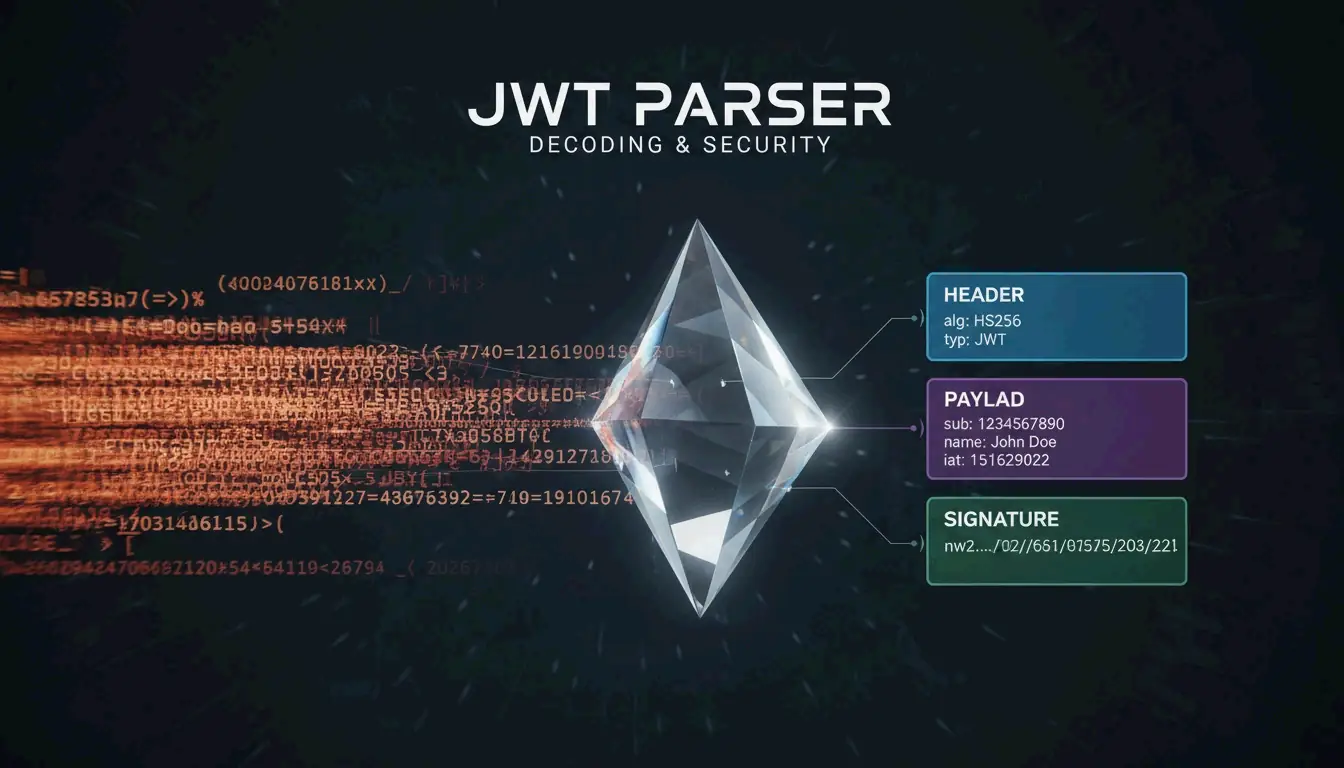
A JWT Parser is a specialized tool that breaks down the three parts of a JSON Web Token — Header, Payload, and Signature — following the RFC 7519 standard. As of April 2026, these parsers decode Base64URL-encoded data and verify signatures using secrets or public keys to ensure the token has not been tampered with, blocking threats like the “alg: none” attack.
What a JWT Parser Actually Does
Think of a JWT parser as a translator. It takes a long, opaque string and turns it back into readable JSON objects. This is fundamental for managing user identities and securing data exchange in modern applications.
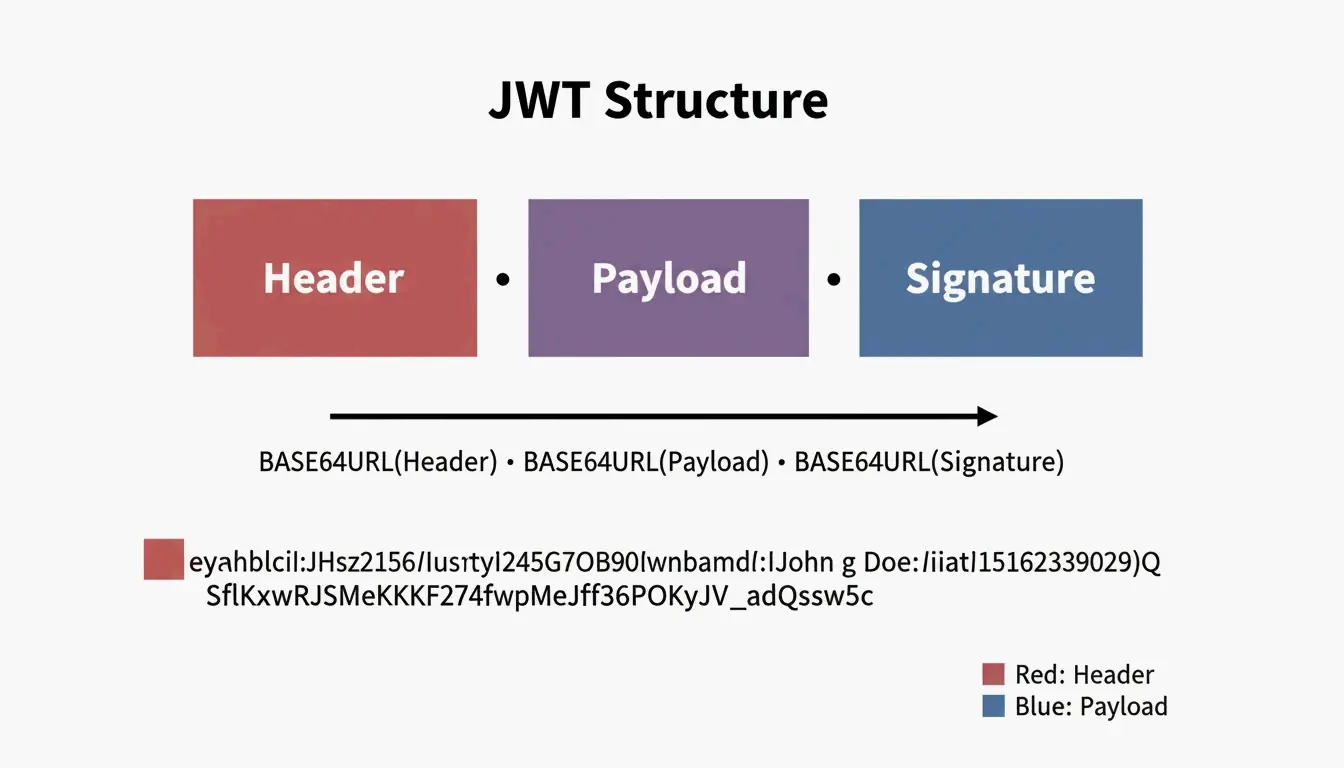
Internally, the parser finds the two periods (.) that divide the token into three sections:
| Section | Purpose | Encoded? | Readable Without Key? |
|---|---|---|---|
| Header | Metadata: signing algorithm (HS256, RS256) | Base64URL | Yes |
| Payload | Claims: user data, expiration, roles | Base64URL | Yes |
| Signature | Digital seal proving authenticity | HMAC/RSA | No — requires key |
Decoding Step-by-Step: What Happens Inside
Let us trace through a real token. Take this example JWT:
eyJhbGciOiJIUzI1NiIsInR5cCI6IkpXVCJ9.eyJzdWIiOiIxMjM0NTY3ODkwIiwibmFtZSI6IkpvaG4iLCJpYXQiOjE3MDAwMDAwMDB9.SflKxwRJSMeKKF2QT4fwpMeJf36POk6yJV_adQssw5c
Step 1: Split on periods
[0] eyJhbGciOiJIUzI1NiIsInR5cCI6IkpXVCJ9
[1] eyJzdWIiOiIxMjM0NTY3ODkwIiwibmFtZSI6IkpvaG4iLCJpYXQiOjE3MDAwMDAwMDB9
[2] SflKxwRJSMeKKF2QT4fwpMeJf36POk6yJV_adQssw5c
Step 2: Base64URL-decode section [0] (Header)
{
  "alg": "HS256",
  "typ": "JWT"
}
Step 3: Base64URL-decode section [1] (Payload)
{
  "sub": "1234567890",
  "name": "John",
  "iat": 1700000000
}
Step 4: Verify section [2] (Signature) — requires the secret key
The parser takes the Base64URL-encoded header + “.” + payload, then computes an HMAC-SHA256 using the secret. If the result matches section [2], the token is authentic.
Critical Security Note: Base64URL Is Not Encryption
A common trap for newer developers is assuming that the encoded header and payload are encrypted. They are not. As JustUse.me points out, Base64URL encoding just makes JSON safe to send through URLs and headers. Anyone who has the token can decode the payload without a password or key.
Never store sensitive data (passwords, SSNs, API keys) in a JWT payload. It is visible to anyone who intercepts the token.
Signature Verification: The Security Gate
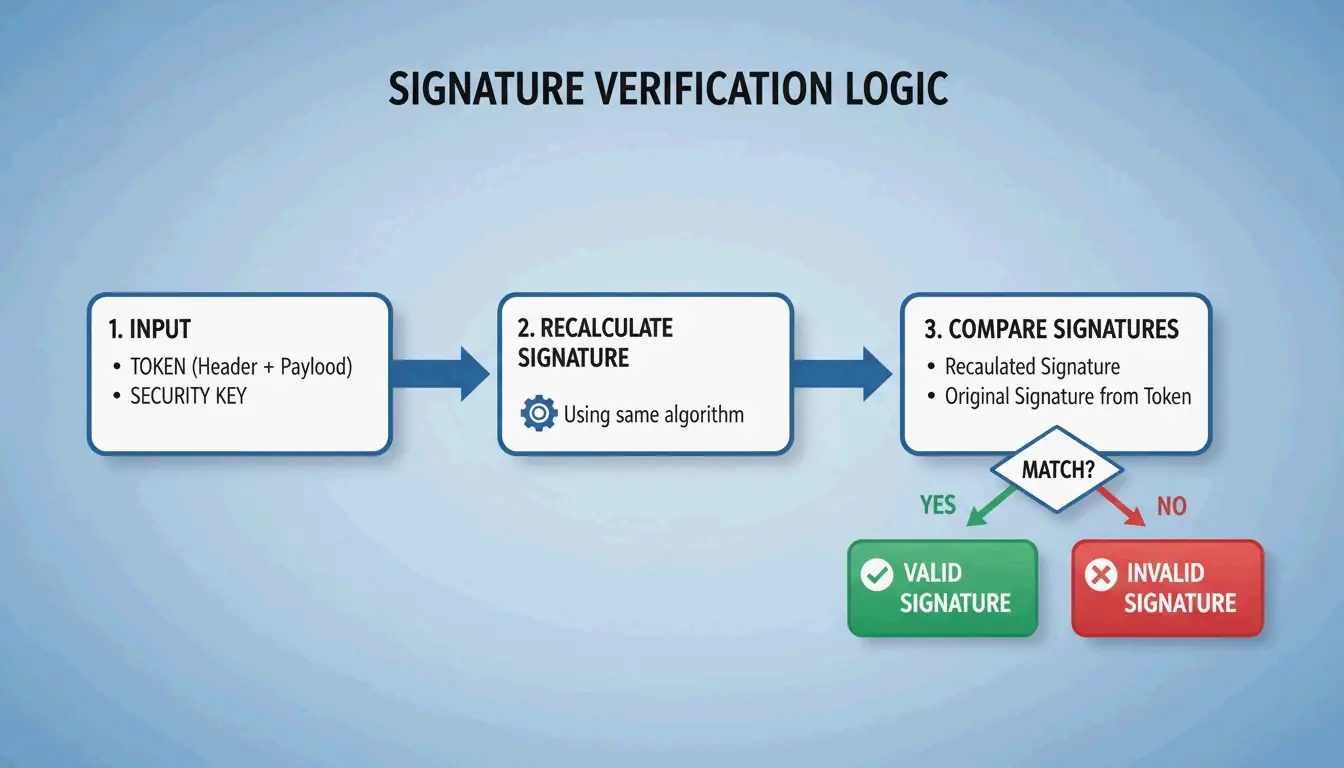
While anyone can read a token’s data, signature verification is what actually keeps your system secure. A JWT parser does not just read information — it proves where it came from.
The parser recalculates the signature using the header, payload, and a key, then checks if the result matches the signature on the token. If they do not match, the token has been tampered with.
Two Algorithm Families
| Algorithm | Key Type | How It Works | Common Use Case |
|---|---|---|---|
| HS256 (HMAC) | Symmetric — same secret key for signing and verifying | Both parties share one secret | Single-service auth, microservices within one team |
| RS256 (RSA) | Asymmetric — private key signs, public key verifies | Sender keeps private key; anyone with public key can verify | OAuth2 providers, third-party API integrations |
| ES256 (ECDSA) | Asymmetric — same model as RSA but with elliptic curves | Smaller keys, faster verification | Mobile apps, performance-sensitive services |
The “alg: none” Attack
This is one of the most dangerous JWT vulnerabilities. An attacker modifies the header to claim "alg": "none" and strips the signature. A poorly implemented parser might accept this, treating the token as valid without any verification.
Defense: Your parser must explicitly reject any token where the algorithm is “none” or does not match your expected algorithm. Stas Persiianenko, who developed the Apify JWT tool, emphasizes that while tokens are transparent by design, their security depends on the parser strictly rejecting unsigned or tampered tokens.
decoded = jwt.decode(token, key, algorithms=None)  # NEVER do this

# SAFE: explicitly specify allowed algorithms
decoded = jwt.decode(token, key, algorithms=["HS256"])
Standard JWT Claims: What Each Field Means
A JWT parser extracts “claims” from the payload. These follow the JOSE (JSON Object Signing and Encryption) framework for cross-system compatibility.
| Claim | Full Name | Purpose | Example Value |
|---|---|---|---|
iss |
Issuer | Who issued the token | "auth.example.com" |
sub |
Subject | The user or entity the token represents | "user:12345" |
aud |
Audience | Intended recipient of the token | "api.example.com" |
exp |
Expiration Time | When the token becomes invalid | 1700000000 (Unix timestamp) |
iat |
Issued At | When the token was created | 1699999999 |
nbf |
Not Before | Token is not valid before this time | 1699999999 |
jti |
JWT ID | Unique identifier for the token | "a1b2c3d4" |
When using asymmetric signatures, parsers often reference a JWK (JSON Web Key) — a JSON structure representing a public key. The parser automatically fetches the correct JWK from the issuer’s metadata endpoint to verify the token.
Implementation: Real Code for Production
PHP with lcobucci/jwt
The PHP ecosystem’s standard is lcobucci/jwt. Data from Packagist shows over 322 million installs as of April 2026, making it the go-to for Laravel and Symfony projects.
use Lcobucci\JWT\Configuration;
use Lcobucci\JWT\Signer\Hmac\Sha256;
use Lcobucci\JWT\Signer\Key\InMemory;

$config = Configuration::forSymmetricSigner(
    new Sha256(),
    InMemory::plainText('your-secret-key')
);

// Parsing and validating a token
$token = $config->parser()->parse($jwtString);

// Verify constraints: expiration, issuer, etc.
$constraints = [
    new \Lcobucci\JWT\Validation\Constraint\IssuedBy('auth.example.com'),
    new \Lcobucci\JWT\Validation\Constraint\PermittedFor('api.example.com'),
    new \Lcobucci\JWT\Validation\Constraint\SignedWith(
        $config->signer(),
        $config->signingKey()
    ),
];

$isValid = $config->validator()->validate($token, ...$constraints);
Hono (Edge/Serverless) with Web Crypto
For lightweight edge applications, the Hono JWT Helper provides a minimal decode() function perfect for serverless platforms where you want fast cold starts and minimal dependencies.
import { jwt } from 'hono/jwt'

// Middleware to verify JWT on every request
app.use('/api/*', jwt({ secret: 'your-secret' }))

// Access decoded claims in your handler
app.get('/api/profile', (c) => {
  const payload = c.get('jwtPayload')
  return c.json({ user: payload.sub })
})
AI-Driven JWT Analysis with MCP
By 2026, the Model Context Protocol (MCP) lets AI assistants like Claude Code or Cursor talk directly to JWT tools. Set up an MCP server, and a developer can ask an AI to “Check all JWTs in these logs for expiration errors” — the agent handles the parsing via the command line.
According to Apify, bulk processing costs about $11.50 per 10,000 tokens as of 2026. This automation lets AI agents find expired tokens and immediately suggest code fixes for the app’s security settings.
Conclusion
A JWT parser is more than a debugging convenience — it is a vital security checkpoint. It ensures tokens are authentic through signature checks and valid through claim verification. Remember the two rules that matter most: Base64URL is not encryption, so never put secrets in the payload. And always explicitly specify allowed algorithms to prevent “alg: none” attacks.
For production apps, use proven libraries like lcobucci/jwt or Hono’s JWT helper rather than rolling your own parser. For debugging and bulk analysis, AI-driven MCP tools are the modern approach to keeping security audits automated and thorough.
FAQ
Is it legal to decode a JWT token I found in my browser?
Yes, it is entirely legal. JWTs are designed to be transparent — the header and payload are encoded for transport, not encrypted for secrecy. Possessing the token implies you have access to the data in its claims. However, always comply with local data protection laws like GDPR when tokens contain personal information.
Why does my JWT parser show isExpired: true for a token I just generated?
This is usually caused by clock drift between the server that generated the token and the system parsing it. If the two systems’ clocks are not synchronized (via UTC/NTP), the exp or nbf claims may appear invalid. Fix this by ensuring both systems use NTP for time synchronization, or add a small “leeway” (usually 60 seconds) in your parsing library to account for minor skews.
Can I decode a JWT without having the secret or public key?
Yes, you can always decode and read the Header and Payload without a key because they are simply Base64URL-encoded JSON. However, you cannot verify the Signature or trust that the data is authentic without the corresponding secret (for HS256) or public key (for RS256). Without verification, treat the data as unverified and potentially tampered with.
What is the “alg: none” attack and how do I prevent it?
The “alg: none” attack exploits parsers that accept the algorithm specified in the token header without validation. An attacker changes the header to "alg": "none" and removes the signature, tricking a vulnerable parser into accepting the token as valid. Prevent this by always explicitly specifying allowed algorithms in your verification code — never accept “none” or allow the token to dictate which algorithm to use.